Legal
SMS Alerts
Last updated September 2, 2026
Haivanti operates AdmitFirst, an AI voice and chat concierge for senior-care facilities. AdmitFirst sends operational SMS text alerts to facility staff so they can respond quickly to a new admissions inquiry or resident concern. This page explains who receives messages, how staff opt in, and how to opt out.
Who receives messages
We send text messages only to a senior-care facility's own staff, at work numbers a facility administrator enrolled with each staff member's agreement. We never send text messages to prospective residents, patients, or their families. Messages contain no patient or health information — only the facility name and a prompt to log in and respond.
What we send
These are transactional, operational alerts, not marketing. There are two kinds:
- A new admissions inquiry was received, with a link to log in and respond.
- A new resident concern was logged, with a link to log in and respond.
How staff opt in
Opt-in happens inside the AdmitFirst account, not by text:
- An authorized facility administrator signs in to their AdmitFirst account at admitfirst.ai.
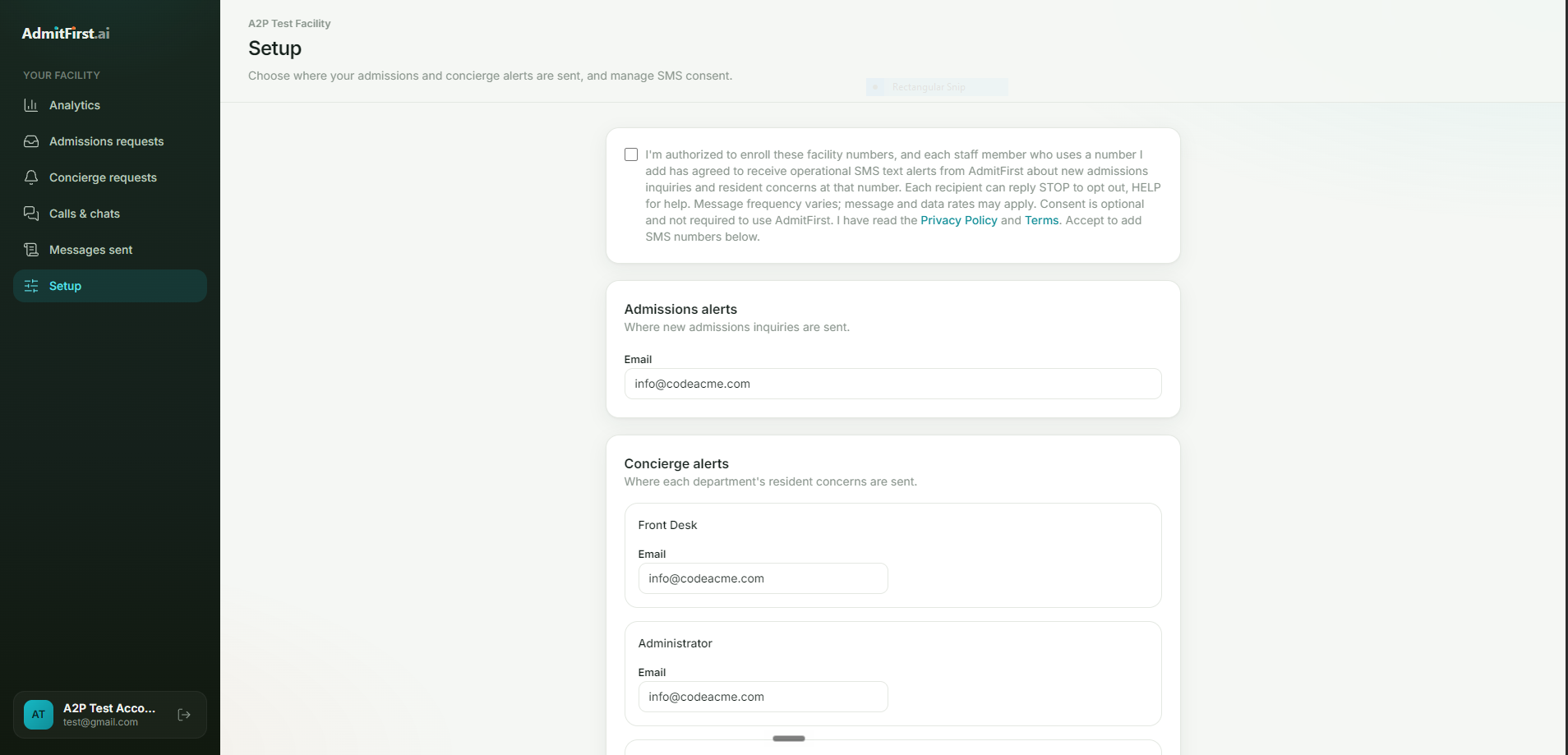
- On the Setup page they check an SMS consent box, unchecked by default, confirming they are authorized to enroll the facility's numbers and that each staff member who uses a number has agreed to receive these alerts.
- They enter those staff work numbers and save. Each number belongs to facility staff who receive these operational alerts as part of their job, and each recipient can reply STOP at any time.
Consent is optional and is not required to use AdmitFirst. This is the only way to opt in; there is no text-to-join keyword.
The opt-in shown to staff
Message frequency and rates
Message frequency varies and depends on how many admissions inquiries and resident concerns a facility receives. Message and data rates may apply.
How to opt out
Reply STOP to any message to stop all further messages to that number. Reply HELP for help. We honor STOP and HELP automatically. A facility can also revoke SMS consent on the Setup page at any time, which removes every alert number.
Privacy and terms
Mobile phone numbers and SMS opt-in and consent information are never sold, rented, or shared with third parties for marketing. See our Privacy Policy and Terms of Service. Questions? Email avi@haivanti.com.